Where to Find the Path
It’s easier to copy and paste the file path, and there are helpful ways on Mac and PC to directly copy the file path.
On Mac
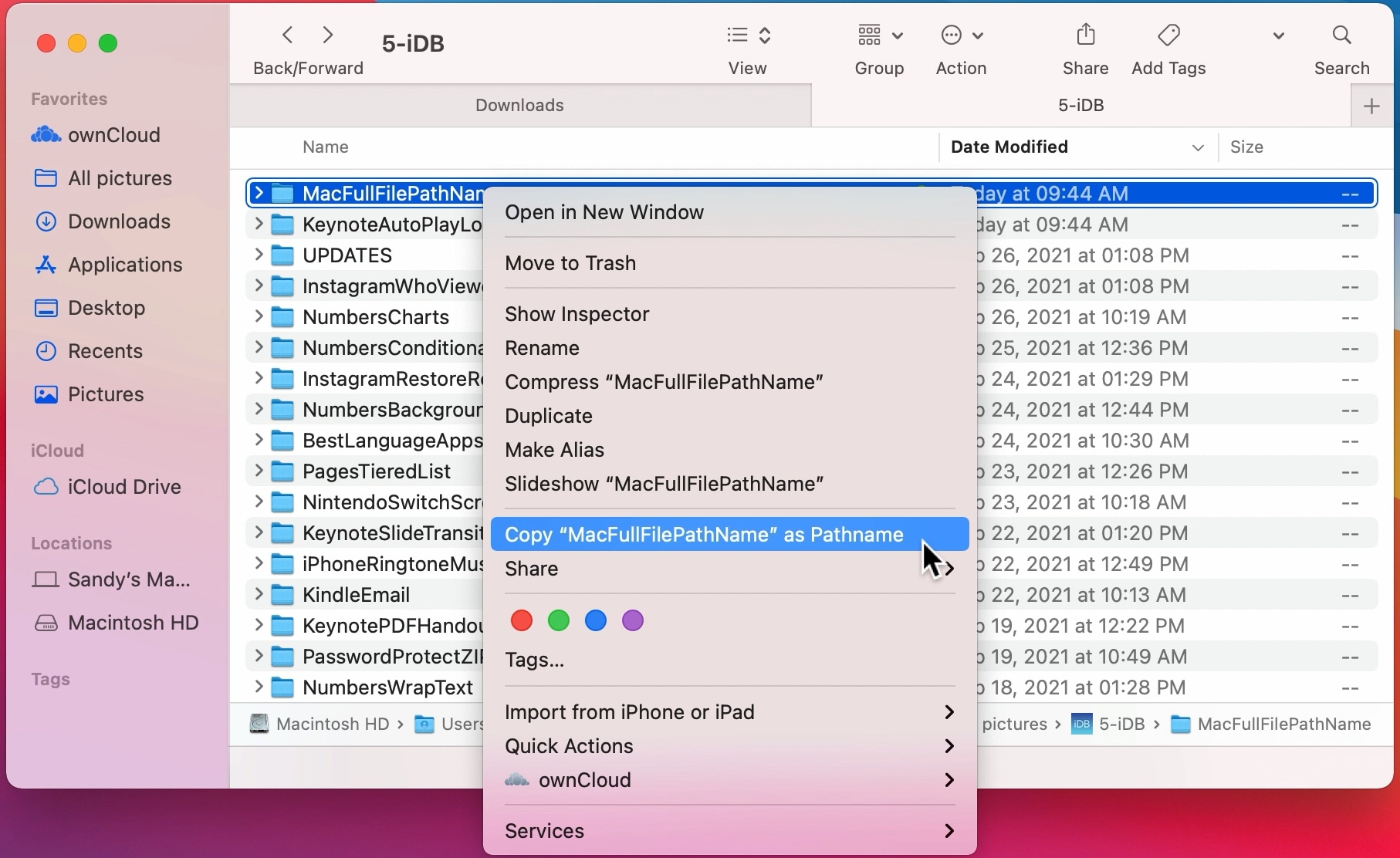
Open the Finder window and navigate to where the file is or search for the file by name. Once you see the file, right click on it while holding down the option key. This should make something appear that says Copy as Pathname. Click on that and now you can paste the name into your code.
On PC
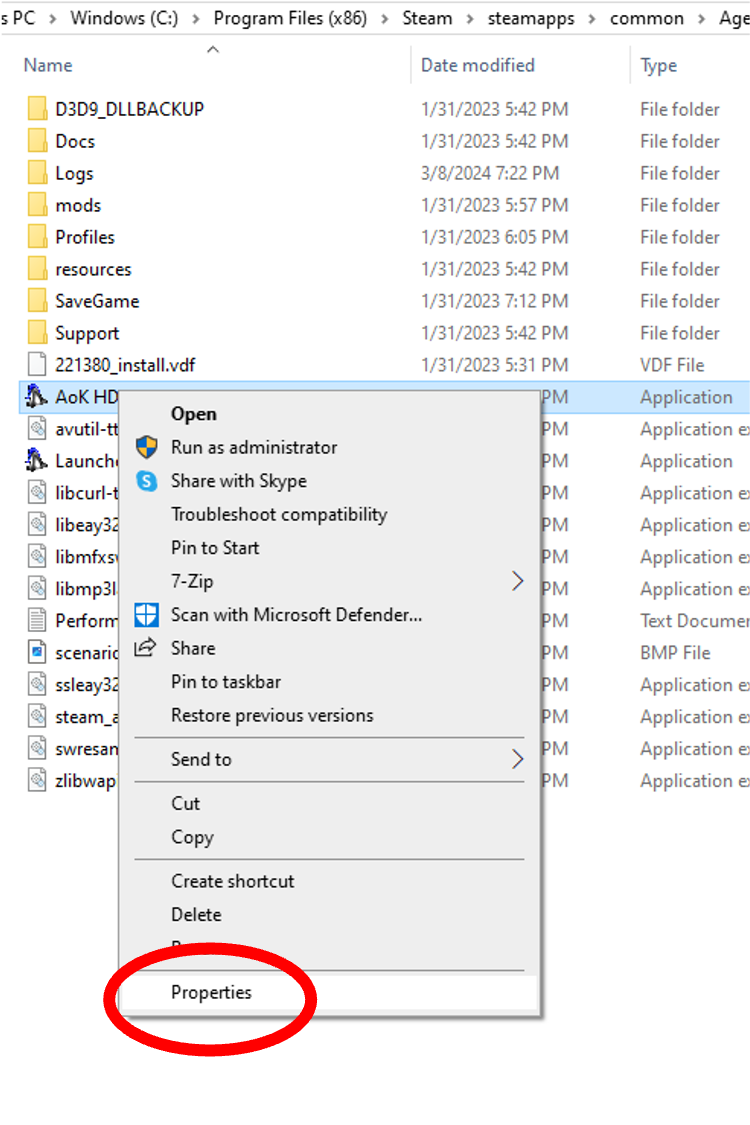
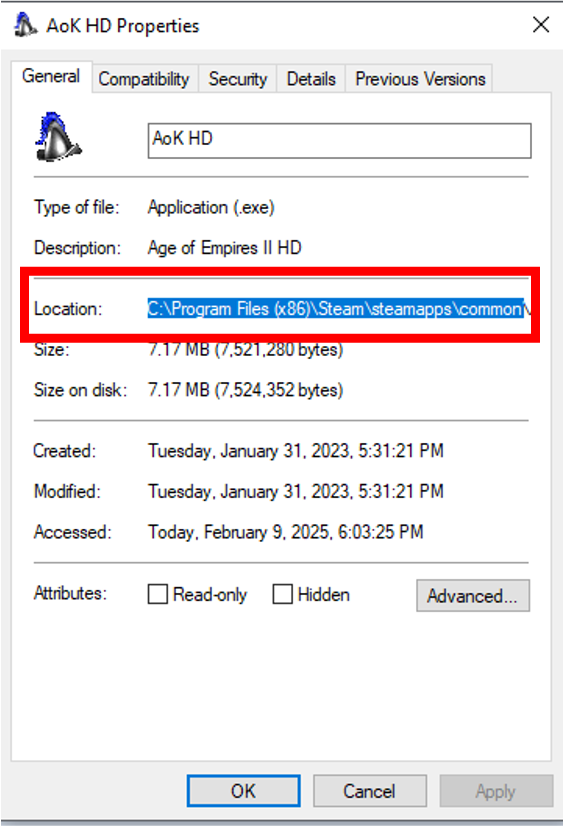
Open Explorer and find the file by navigating to it or searching for it by name. Right click on it and click Properties at the bottom of the list. This brings up another window that shows the file path under Location. Copy and paste the full name from there. You will need the C:/ part at the beginning.
On Chromebook
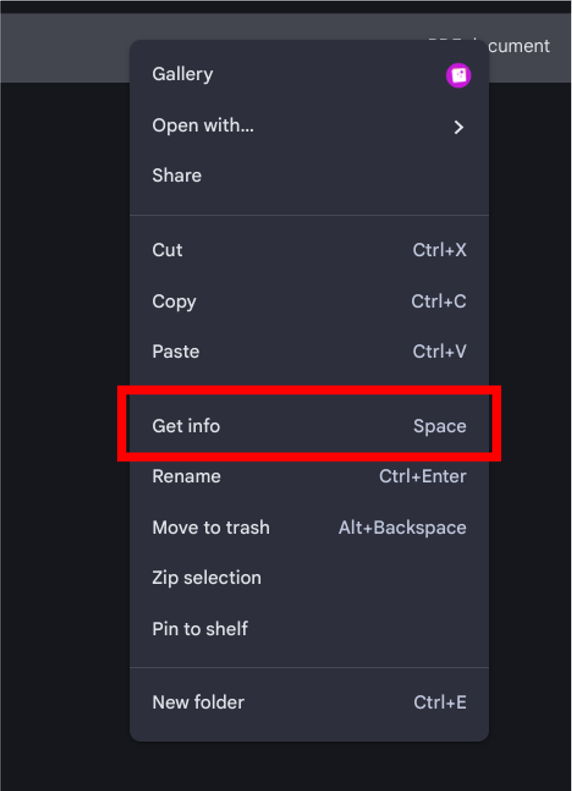
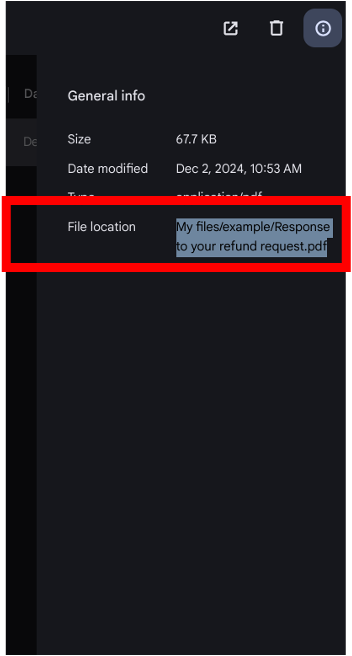
Open whatever the Chromebook version of Finder or Explorer is and find the file by navigating to it or searching for it by name. Right click on it and click Get Info . This brings up another window that shows the file path under File location. Copy and paste the full name from there.