library(tidyverse)
pop_data <- read_csv("population_data.csv")Loading Libraries & Data Files
When you open a new project you will see a screen that looks something like this. It will contain the project file, but nothing else yet. You’ll then want to make sure that you add the data file to whatever folder the .Rproj file is in. That should just be the name of the folder you made for the project, so here mine is called “example”.
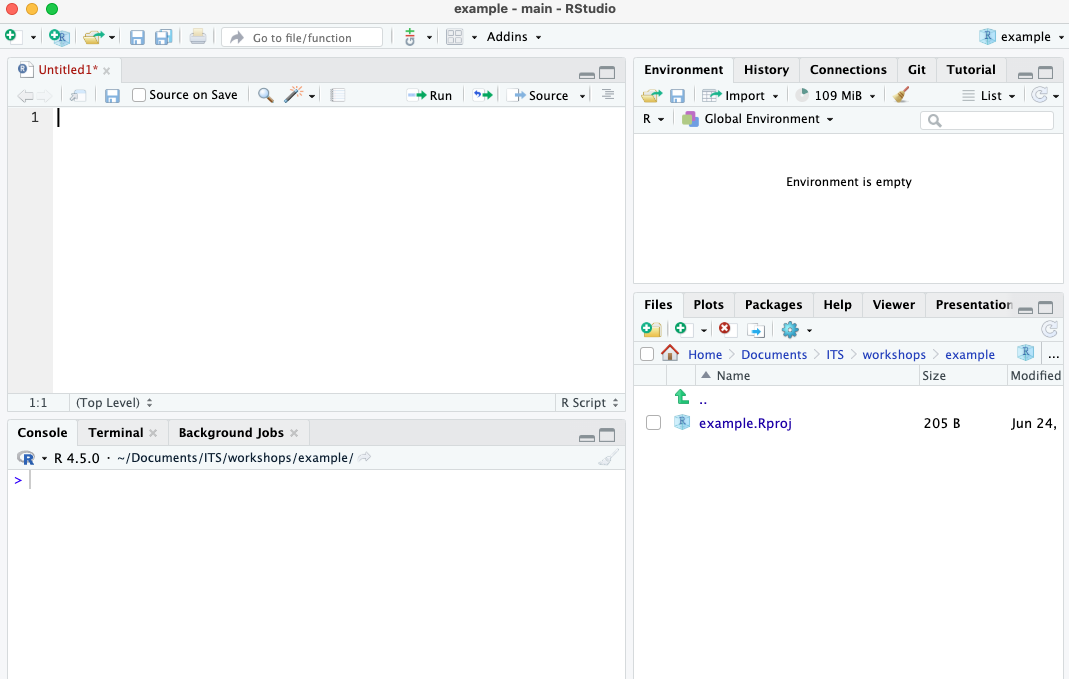
Remember, you need to click the little green plus in the top left to get a new R file.
Load Libraries Before Data
In order to read your data into R, you will need the help of a library that contains the function that allows for the import of data. So, let’s learn about libraries.
First, the words “package” and “library” refer to basically the same thing and are used interchangeably.
R comes with built in functions, but you can access many, many more by loading in libraries. Since R is open source, libraries can be written by anyone and can contain very specific functions. In order to load in the libraries you will use the function library() where the name of what you want goes inside the parentheses. However, you need to have a library installed before you use it, and to do that you have to use the function install.packages().
If you are using the server version of R (the web-based version), you should not need to install most packages, you can just load them, but if you’re using your own version of R you may need to install packages first. Think of installing packages like buying a book and loading libraries like getting the book off the shelf. You only need to buy it once (install.packages()), but every time you want to use it, you need to get it off the shelf (library()).
One annoying thing to note is that with install.packages() the name of the library has to be in quotes, but then with library() the name is not in quotes. If you need to install a library first, the code would look like:
install.packages("tidyverse")
library(tidyverse)
It is typical practice in R coding to always put all the necessary library commands at the top of the script. Sometimes you won’t need a library until midway through the script, but you should always add the library at the top anyway. When loading multiple libraries, you should make a new line and new command for each one, ex:
library(tidyverse)
library(readxl)
library(stats)

# rest of script goes after
Using A Function to Load Data
We’ll use the function to load in our data.
Remember, basically anything that has the format
word()is a function.library()is a function. For more on functions vs variables see this page.
The function you use depends on the type of file that you want to read in. In this example, I want to read in a comma separated value (csv) file, which is a good format for storing data in because it doesn’t add in any extra hidden styling things the way other file types might.
Here’s my code to read in my data file, which is called “population_data.csv”.
Now you have a variable object, more on this in a second, called pop_data.
Note a few things here: R is case sensitive, so I have all lower case, and R doesn’t like spaces in variable names so I use _ instead of a space. Remember, you need to have the file name exactly as it appears in the files section in the lower right hand corner.
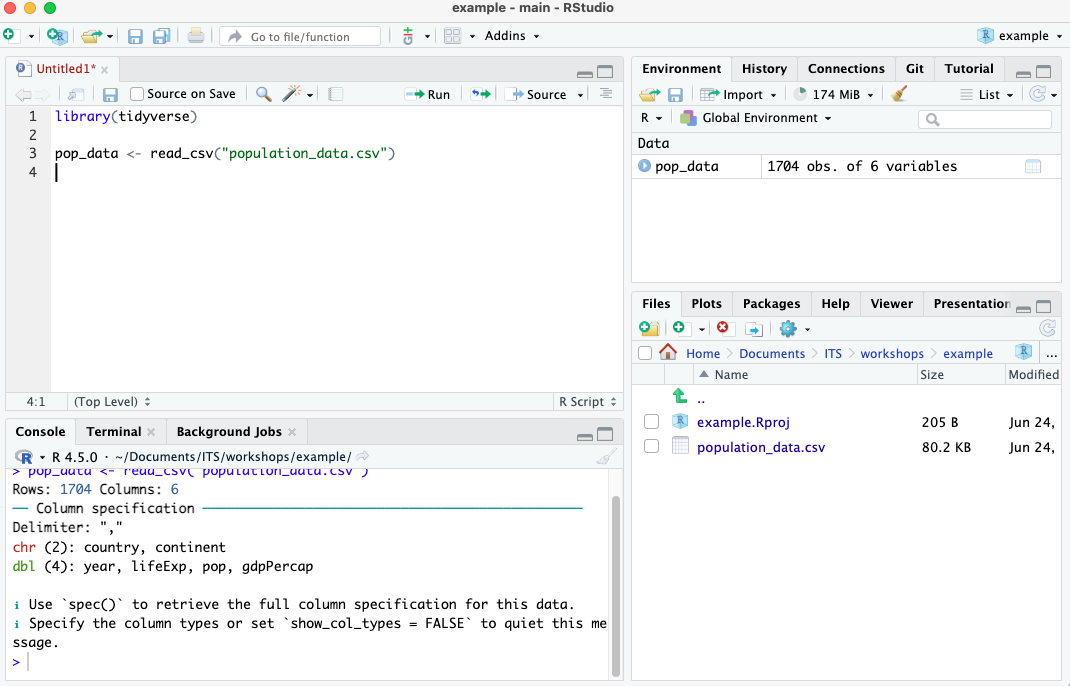
If I hadn’t used a project file, I would have had to put the full file path to the data file. That would look something like this:
library(tidyverse)

pop_data <- read_csv("/Users/griffinj/Documents/DataFiles/population_data.csv")
It may seem trivial at first, but trust me it adds up, so use project files!