Matching Non-unique Values
So far all the joins we have done have had a key that matches one value in the other dataset, meaning there was only one way to combine the data. If we have values that are not unique we can still perform joins in a “one-to-many” or “many-to-many” fashion.
We’ll illustrate with these simple tables:
In this example, the value A for id from table1 matches two values in table2: 4 and 5. So, despite these tables both being three rows long the result of the join will be four rows long because we have to include both matches for A. Since table1 has a single value for A that value will just be repeated in the resulting table:
You can see in this table that A is now repeated on two rows with value1 also being repeated and then the unique values for value2. This kind of join is called “one-to-many” because there is a single key we are trying to match, but there are multiple matches in the second dataset.
A “many-to-many” join is similar but with multiple instances of the key in datasets one and two. Here’s an example:
Now when we perform the join we have to match both A values from table1 to both A values from table2. The result is a table with four rows for A.
R will throw a warning message here to alert you that there is a “many-to-many” relationship because more often than not that is unexpected in an analysis and it’s trying to be helpful. If you want you can specify the type of relationship you want the join to perform. If we want “many-to-many” we can add a relationship argument to silence the warning.
You could also have a “many-to-one” relationship if there are multiple keys in the first dataset but only one match in the second. Specifying the relationship is optional, but R will give you an error if it detects an unexpected relationship, so specifying is sometimes useful as a sort of safety check. Here’s an example of the error (it’s an actually useful one, unlike many R errors):
Another way to handle non-unique keys and values is to use the multiple argument. Here you can specify if you want all the possible matches in the resulting table or just some of them. The options are “all”, which returns everything; “any”, which returns a random match; “first”, which returns the first match detected; and “last”, which returns the last match detected.
Try adding the multiple argument to our many-to-many join, but set it to only return the last match:
Now instead of four rows of A values we only have two and both of their corresponding value2s are equal to 5 since that was the last match available.
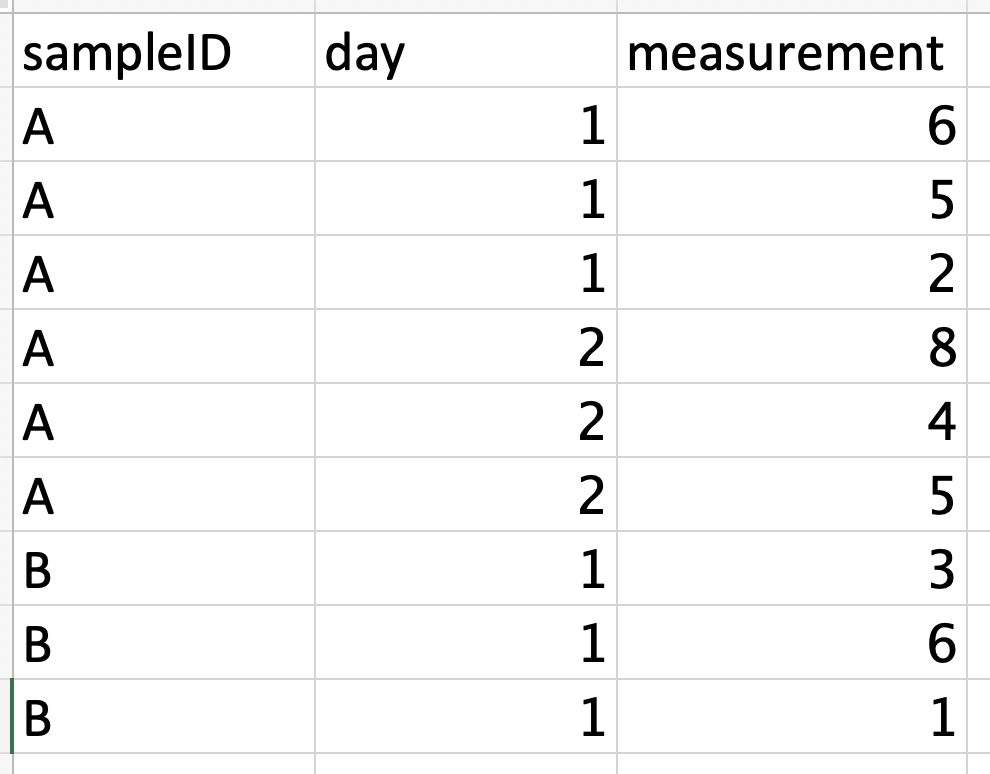
Specifying that you just want one row returned is often useful when matching to data in long format because it will have much of the same information repeated across multiple rows. Here’s an example of a long dataset and if we were just trying to join the day column, you can see why it would be useful to specify that we just need one match.